Healthy Screen Time Limits: Smart Boundaries for All Ages
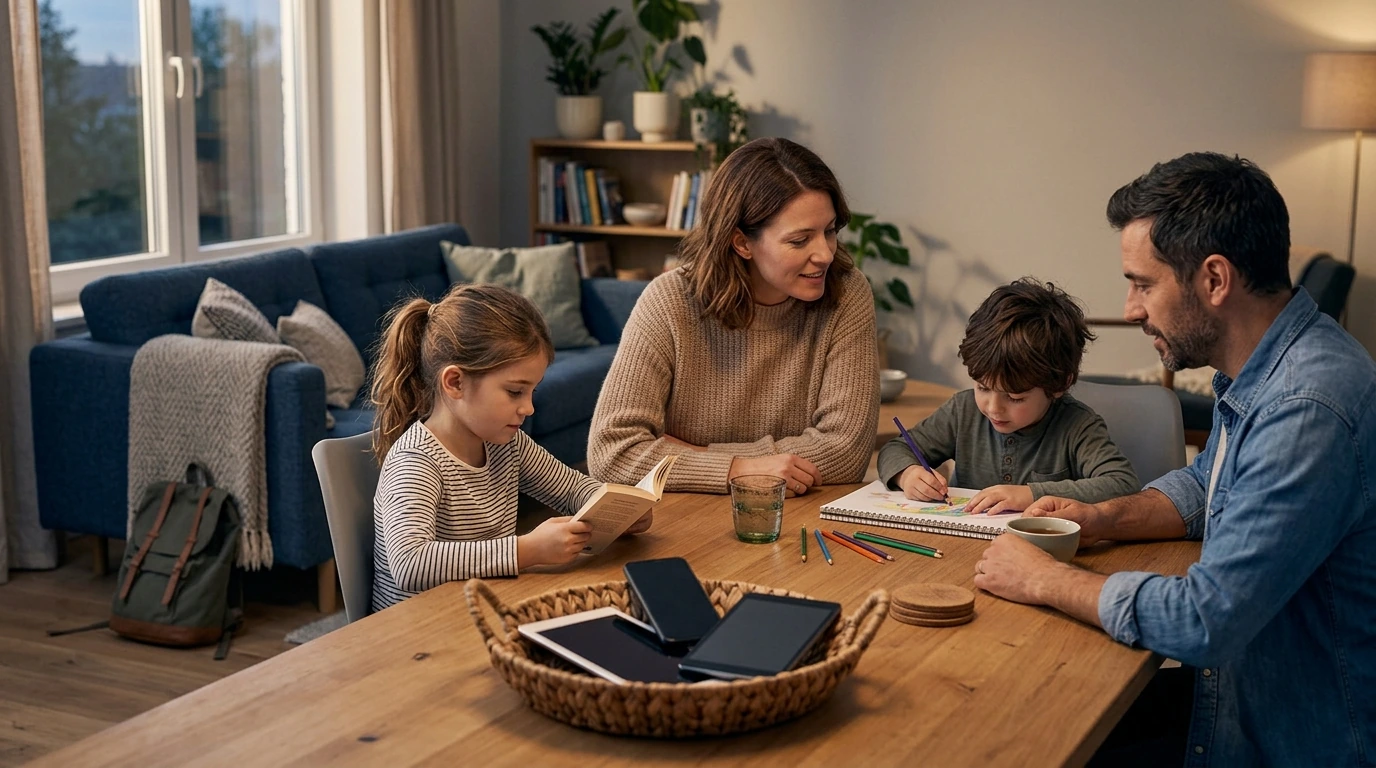
Healthy Screen Time Limits for Everyone: Setting Smart Boundaries and Staying Balanced
Screens are part of work, school, relationships, and downtime—so the goal isn’t “less” across the board, but “better.” Healthy limits come from noticing what screen time is replacing (sleep, movement, focus, connection) and then building simple, repeatable guardrails that fit different ages, schedules, and responsibilities.
What “healthy screen time” means (and why it’s not one number)
A “good” screen-time number varies wildly depending on age, workload, and what’s happening off-screen. Instead of chasing a single target, use a few practical distinctions:
- Separate necessary from discretionary use. Necessary includes school/work tasks, navigation, banking, telehealth, and logistics. Discretionary includes scrolling, gaming, streaming, and “just checking.”
- Watch for impact signals. Common flags include sleep delays, irritability, headaches or eye strain, reduced activity, missed responsibilities, and conflicts at home.
- Use replacement thinking. If screens are consistently displacing sleep, exercise, meals, hobbies, or in-person connection, limits are likely needed.
- Prioritize quality and consistency. Planned sessions, clear start/stop points, and content that genuinely supports goals or relaxation helps prevent spirals.
Quick self-check: when screens are helping vs. hurting
Before changing rules, get a clearer snapshot of what’s actually happening. Healthy use tends to feel intentional; unhealthy use tends to feel slippery.
- Helping signs: sessions are purposeful, breaks happen naturally, mood stays steady, there’s no guilt or “time loss,” and sleep remains intact.
- Hurting signs: “just a minute” becomes an hour, late-night scrolling becomes routine, multitasking spikes, attention feels scattered, or tension increases after use.
- A simple metric: if stopping feels unusually hard most days, add friction—timers, app limits, or device-free zones.
- Track for 7 days before overhauling everything; patterns usually become obvious with a short baseline.
Screen time impact checklist (7-day snapshot)
| Area | Green zone | Yellow zone | Red zone |
|---|---|---|---|
| Sleep | Falls asleep within ~30 minutes; wakes rested | Occasional late nights or restless sleep | Regularly loses sleep due to screens |
| Mood | Stable mood after use | Sometimes irritable or numb after use | Often anxious, edgy, or down after use |
| Focus | Can focus on tasks without constant checking | Frequent checking during tasks | Cannot work/learn without constant switching |
| Movement | Meets daily movement goals | Sits longer than intended | Skips movement routinely to stay online |
| Relationships | Conversations mostly uninterrupted | Phone appears at meals or chats sometimes | Conflict or disconnection linked to devices |
Age-by-age guardrails that actually stick
Limits are easier to maintain when they match developmental needs and daily rhythms.
Toddlers and preschoolers
- Prioritize sleep, free play, and caregiver interaction.
- Choose calm, high-quality content; co-view when possible.
- Keep screens out of bedrooms to protect bedtime routines.
School-age kids
- Set predictable windows (for example: after homework, before dinner).
- Create device-free routines for meals and mornings.
- Encourage offline hobbies they can start quickly (Legos, drawing, sports, reading).
Teens
- Agree on boundaries collaboratively so rules feel fair and realistic.
- Anchor limits around sleep protection and school focus blocks.
- Charge devices outside the bedroom when possible to reduce late-night loops.
Adults
- Protect deep work time, meals, and a wind-down block before bed.
- Reduce “background” use (TV + phone at the same time) that quietly stretches hours.
- Batch messages and notifications so the day isn’t one long interruption.
A practical framework: the 3-part limit (time, place, purpose)
If you’ve tried “just use it less” and it never lasts, shift to rules that are easy to remember in the moment:
- Time: define start/stop rules (example: 30 minutes after dinner; no screens 60 minutes before bed).
- Place: set device-free zones (bedrooms, dining table, bathroom; car rules depend on safety and needs).
- Purpose: name what screens are for in that window (homework research, calling family, one episode, a 20-minute game), then stop when the purpose is met.
Tools and settings to reduce friction (without constant policing)
Protecting sleep, eyes, posture, and mental balance
- Sleep: keep a consistent cutoff before bed, dim lights, and avoid emotionally activating content late at night. For sleep basics and why consistency matters, see the CDC’s sleep resources.
- Eyes: use the 20-20-20 approach (every 20 minutes, look 20 feet away for 20 seconds) and increase text size to reduce strain.
- Posture: raise screens closer to eye level, support the lower back, and change positions often—brief movement breaks beat “perfect posture.”
- Mental balance: curate feeds, unfollow triggers, and schedule “check-in windows” for news/social rather than grazing all day.
For families, practical, age-specific guidance is available from the American Academy of Pediatrics. For younger kids, it also helps to keep overall daily movement, sedentary time, and sleep working together (see the WHO guidelines for children under 5).
Reset plans for common struggles (scrolling, gaming, and family conflict)
Guided support for building better habits
- Healthy Screen Time Limits for Everyone: The Ultimate Guide to Setting Smart Limits and Staying Balanced
- Empower Your Inner Voice – A Practical eBook Guide on how to overcome self doubt, Build Confidence, and Strengthen Mindset for Personal Growth
FAQ
How much screen time is too much for adults?
There isn’t one universal number—what matters is whether screen use regularly displaces sleep, movement, responsibilities, or relationships. Protect a few non-negotiable blocks (meals, deep work, wind-down) and keep discretionary scrolling in planned windows with a timer.
What’s a good screen time limit for kids on school days?
Start by protecting essentials first: sleep, schoolwork, outdoor play, and meals. Then add a predictable entertainment window that fits your family routine, with device-free bedrooms and a consistent bedtime cutoff.
How can screen time be reduced without constant arguments?
Use shared rules based on time/place/purpose, give a consistent warning before shutdown, and automate limits with device settings when possible. Having ready-to-start offline options makes stopping feel like a transition instead of a punishment.












Leave a comment